PEM server and agent connection management mechanism v10.4
You can manage the connections effectively either through a moderate number or with connection pooling in Postgres Enterprise Manager (PEM).
You can use PgBouncer as a connection pooler for limiting the number of connections from the PEM agent to the PEM server on non-Windows machines.
You can see below how PEM agents manage database connections both with and without the use of PgBouncer as a connection pooler.
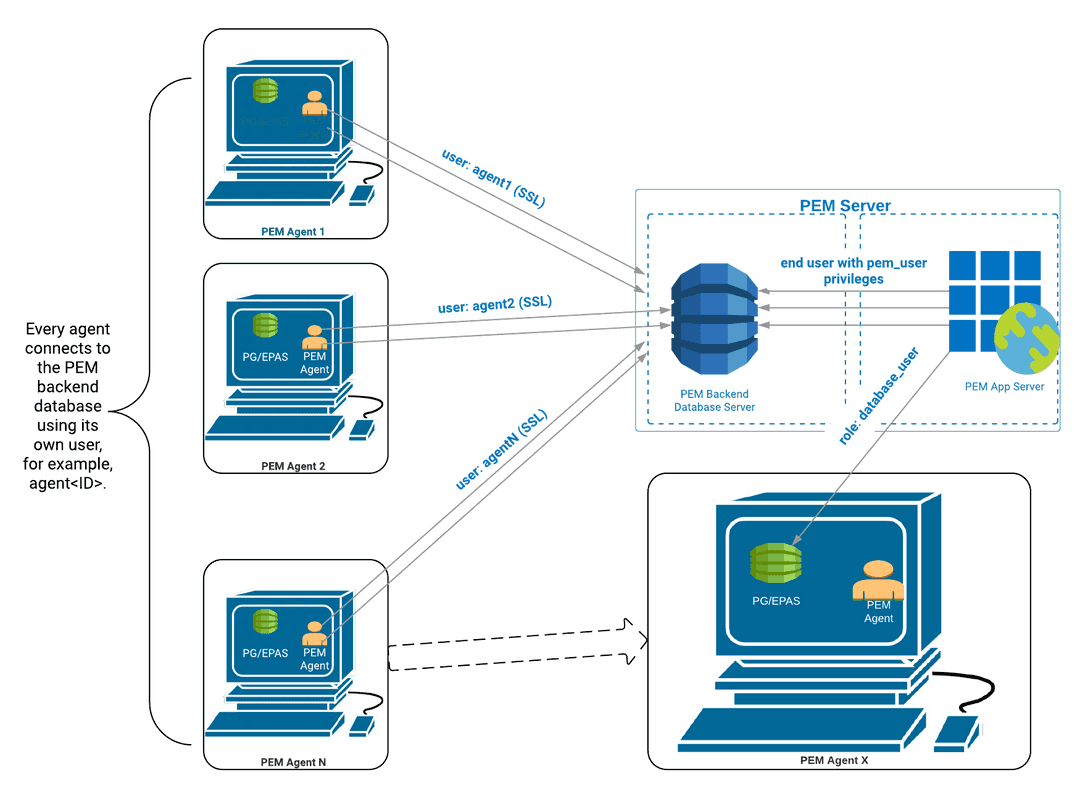
Without PgBouncer
In the default configuration, each PEM agent connects to the PEM database server directly using SSL for encryption. Each PEM agent uses its own dedicated user for the connection.
For example, a user agent with ID 1 connects to the PEM database server as agent1.
With PgBouncer
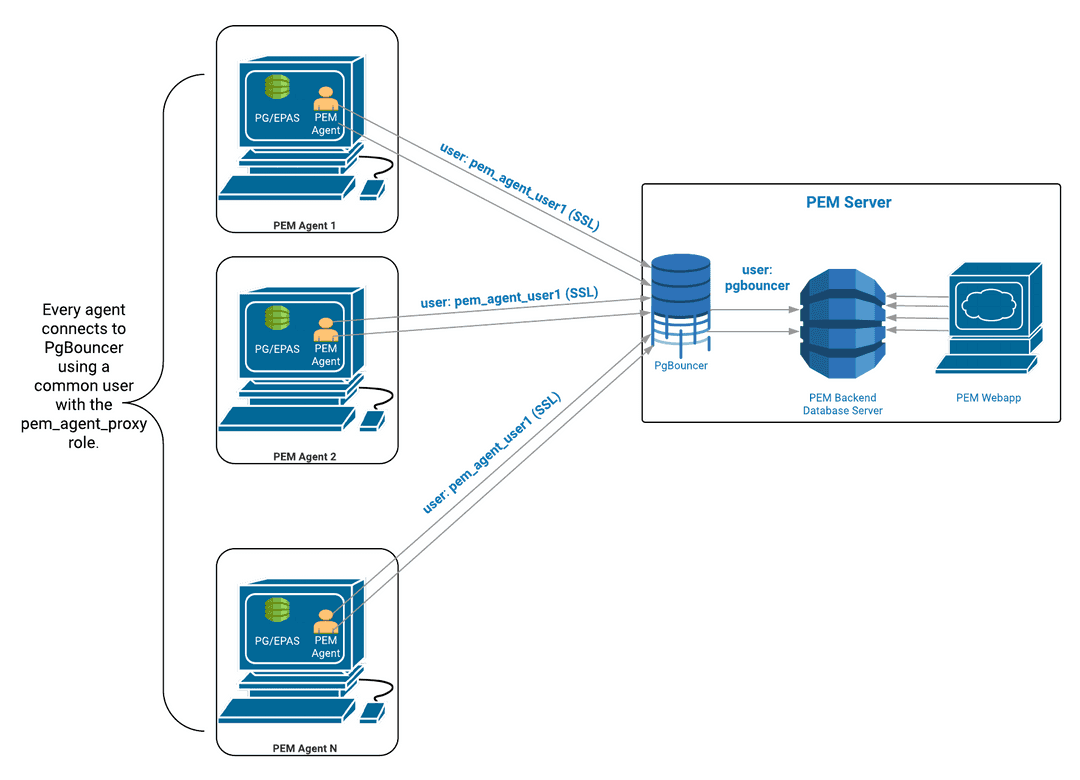
In a PgBouncer-enabled environment, PEM agents can't connect to the PEM database server directly. PEM agents must use a proxy user that you configure specifically for the connection to PgBouncer. In the example, the proxy user handling all PEM agent connections is called pem_agent_user1.
Once the PEM agents connect to PgBouncer using SSL, PgBouncer is responsible for managing connection requests to the PEM database server. PgBouncer uses the rules you configured for connection pooling to manage the incoming connection requests, for example, by respecting the established maximum number of active connections.
Note
Use PgBouncer version 1.9.0 or later as the connection pooler. Versions 1.9.0 or later support cert authentication.
For more information about configuring PgBouncer with PEM, see Connection pooling using PgBouncer.
- On this page
- Without PgBouncer
- With PgBouncer